
The Longbell guide
Your first week, step by step.
How to do each job, in the words on the buttons. Most take a minute; none need training.
Day one · the office
Your school, set up in an afternoon.
Bring whatever you have: an Excel sheet, last year’s software export, or a photo of the register.
- Hand Tara your lists
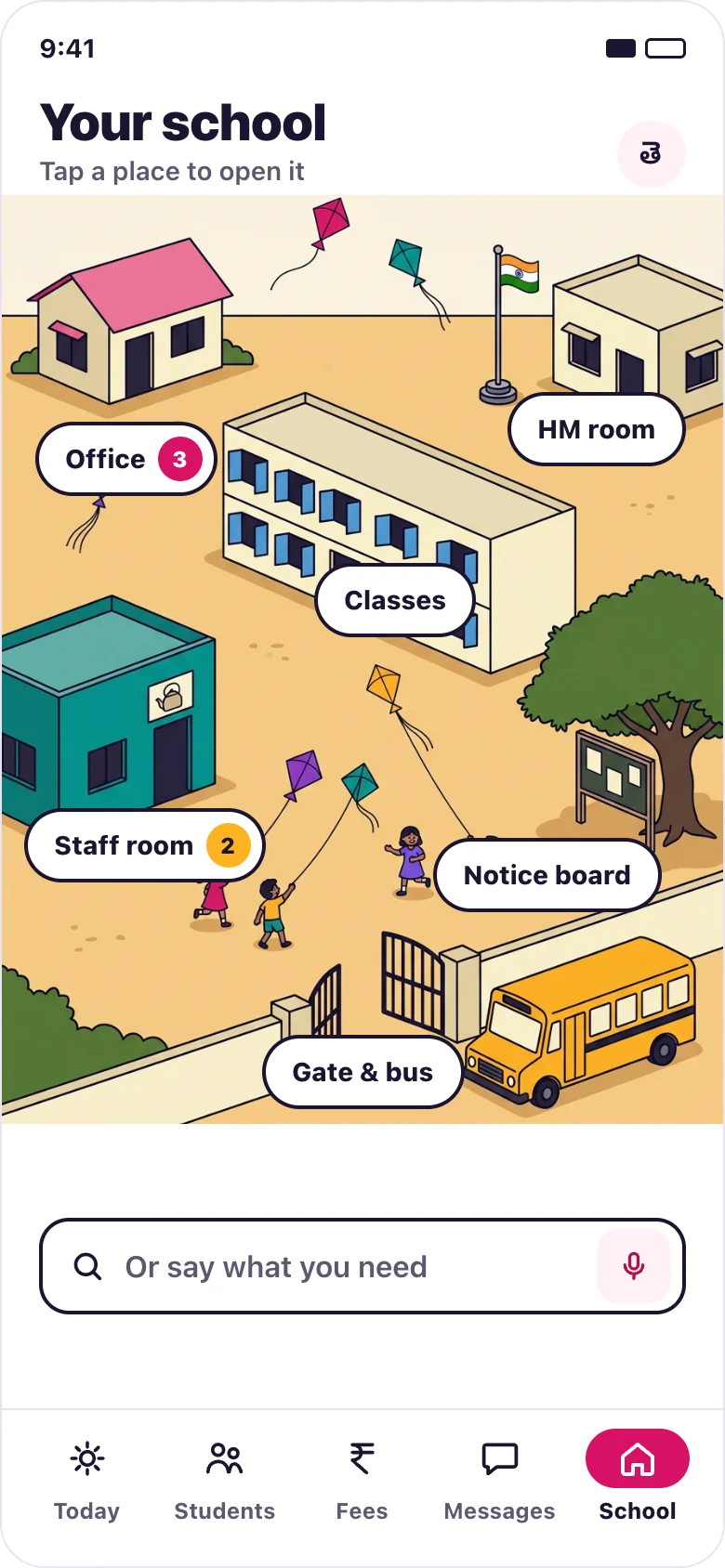
Open School › Add many students and drop in Excel, CSV, PDF, Word or a photo. Tara lays out classes, sections and children.
- Check the preview
Anything unclear is marked, like a child with no class. Fix it, then save. Nothing is saved before you check.
- Set the fee plan once
Fees › Fee plan: each class’s fees and due dates. Apply class fees puts them on every child.
- Add your staff
School › Staff: name, phone number and a role. They sign in with a one-time code; no passwords to forget.
- Tell the parents
Share the app link. Parents sign in with the phone number on your records and find their children already there.
Moving from other software? We do the move with you, free.
The office
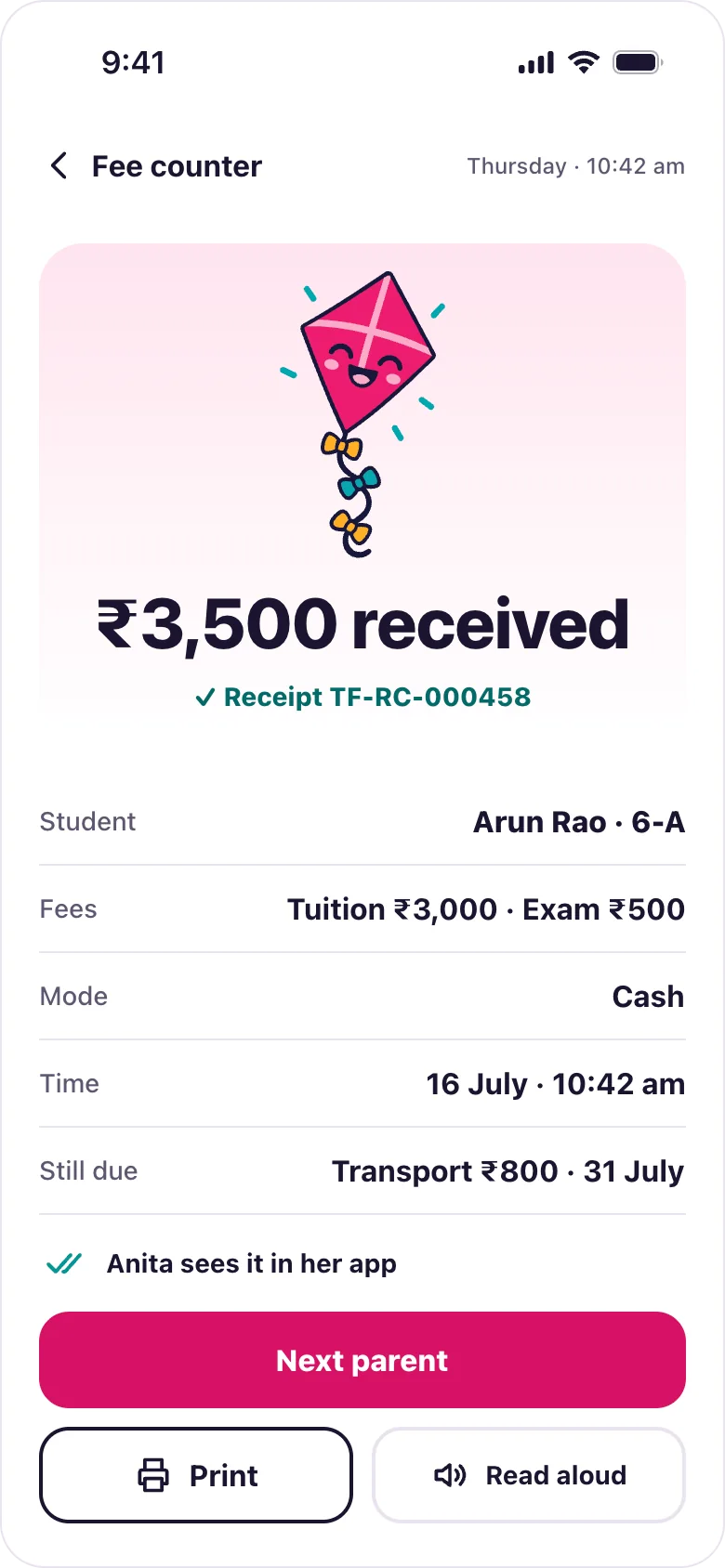
A parent at the counter, a receipt in their hand.
Most payments take under a minute, even in the first-week rush.
- Find the child
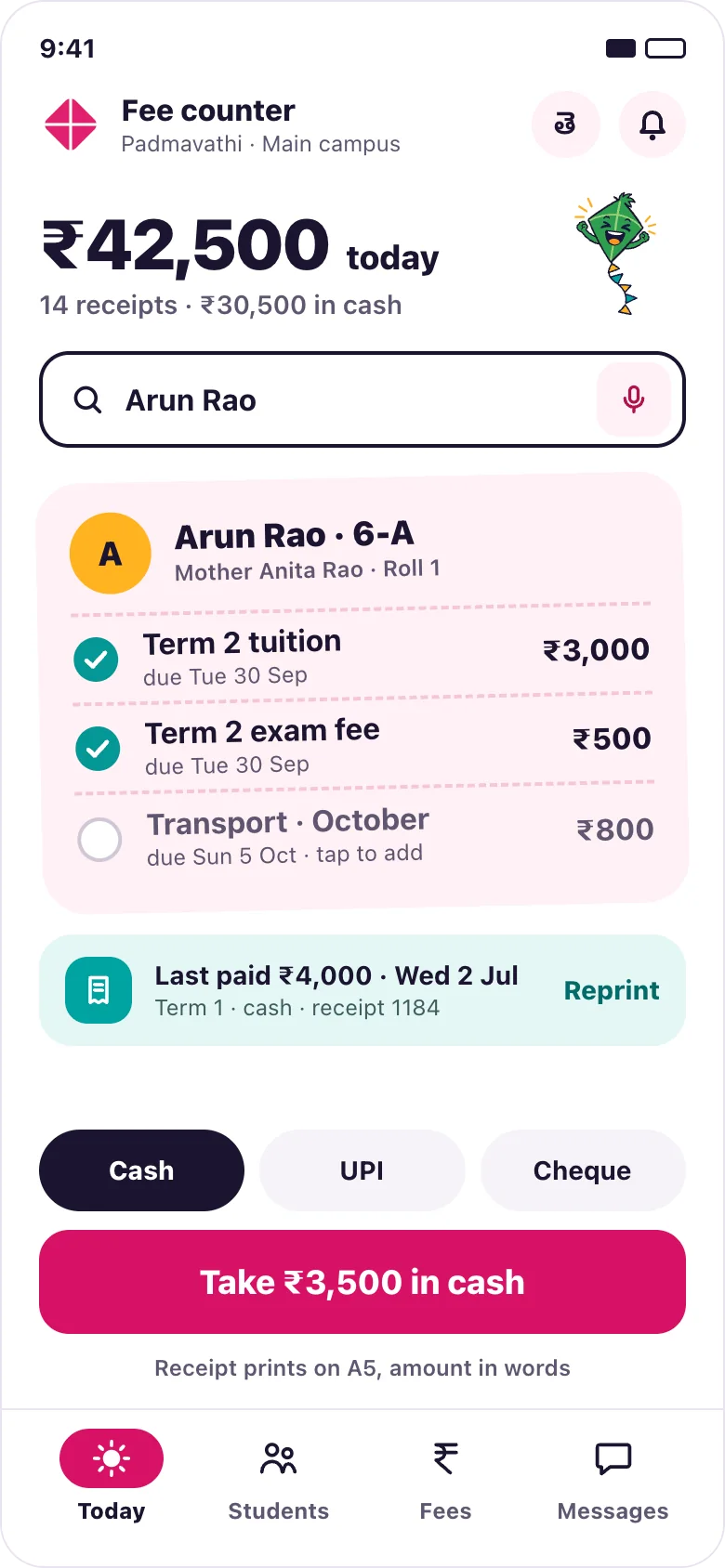
Open Fees and type a name, class or admission number.
- Tick what they are paying
Or type any amount. It fills the oldest fees first, the way your accountant would.
- Take it
Cash, UPI or cheque. The A5 receipt prints with the amount in words and reaches the family’s phone by itself.
A mistake? Refund or correct it from the receipt. Serial numbers never skip.
The office and families
Let families pay without coming in.
No payment gateway and no fees on top. The money goes straight to your school’s UPI ID.
- Add your UPI ID once
School setup › UPI for fee payments.
- Send a pay link
On a child’s fees, tap Send pay link and share it on WhatsApp. The family sees exactly what is due.
- They pay and tell you
They pay in any UPI app and send the 12-digit reference or a screenshot.
- You approve, the receipt goes out
It waits in Fees › Paid photos. Check your bank app, approve, and the receipt is sent.
Saraswathi School
Arun Rao · 6-A
₹9,500
Term 2 tuition · due 10 Oct
Pay by UPI
Paid already? Send the reference or a screenshot
Straight to your UPI IDThe office
Merit, sibling and government scholarships, kept straight.
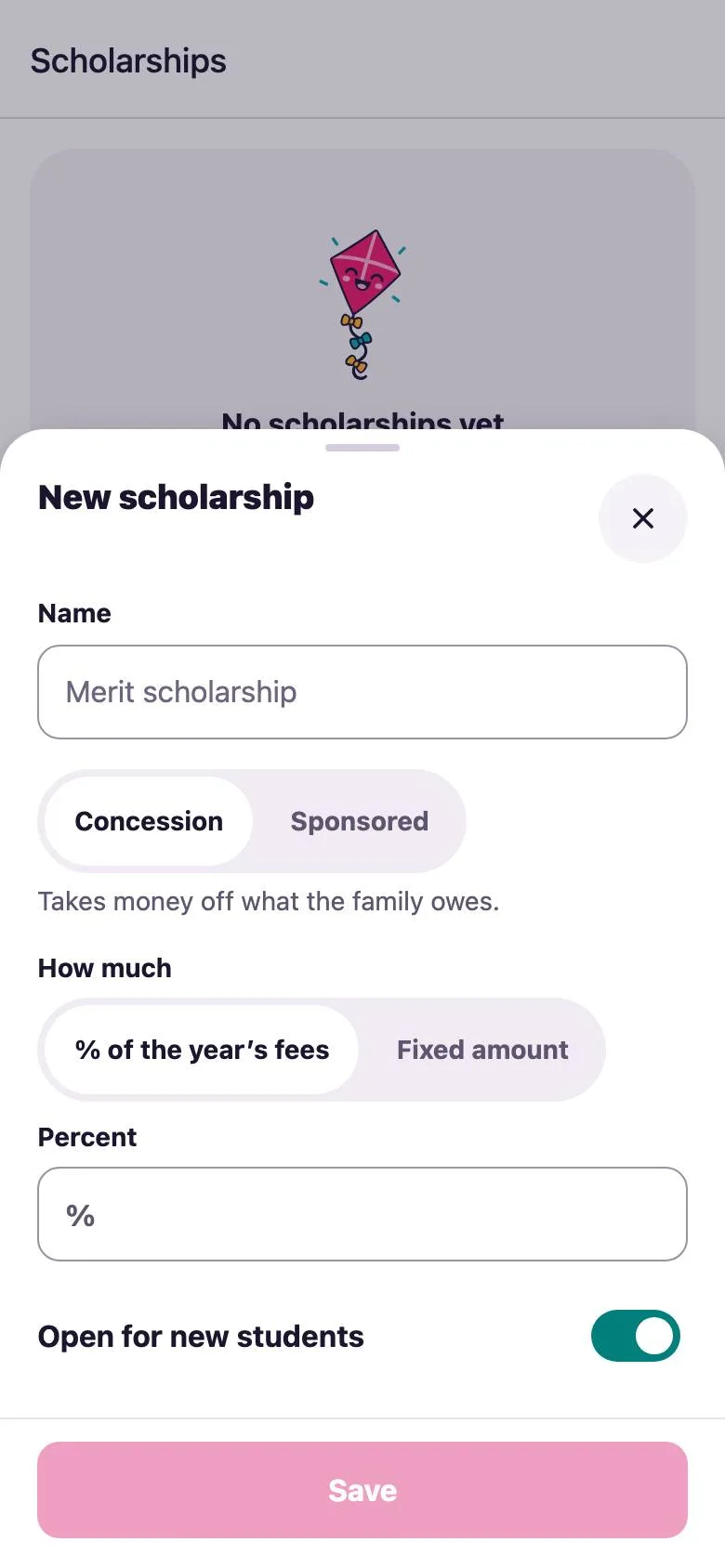
Name each scheme once. Then giving one to a child is two taps, and you always know who got how much.
- Create the scheme
Fees › Scholarships › New scholarship. A concession takes money off the fees; sponsored means someone else pays.
- Say how much
A concession is a percentage of the year’s fees or a fixed amount. For sponsored money, note who pays.
- Give it to a child
Open the child’s fees and tap Give scholarship. A concession comes straight off the balance; sponsored money is recorded as a payment with a receipt.
- Change your mind safely
Withdraw a concession and the fees go back exactly as they were.
The office and the administrator
Every rupee out, with the bill to show for it.
The office records what it spends. An administrator approves it. The month adds itself up.
- Record it
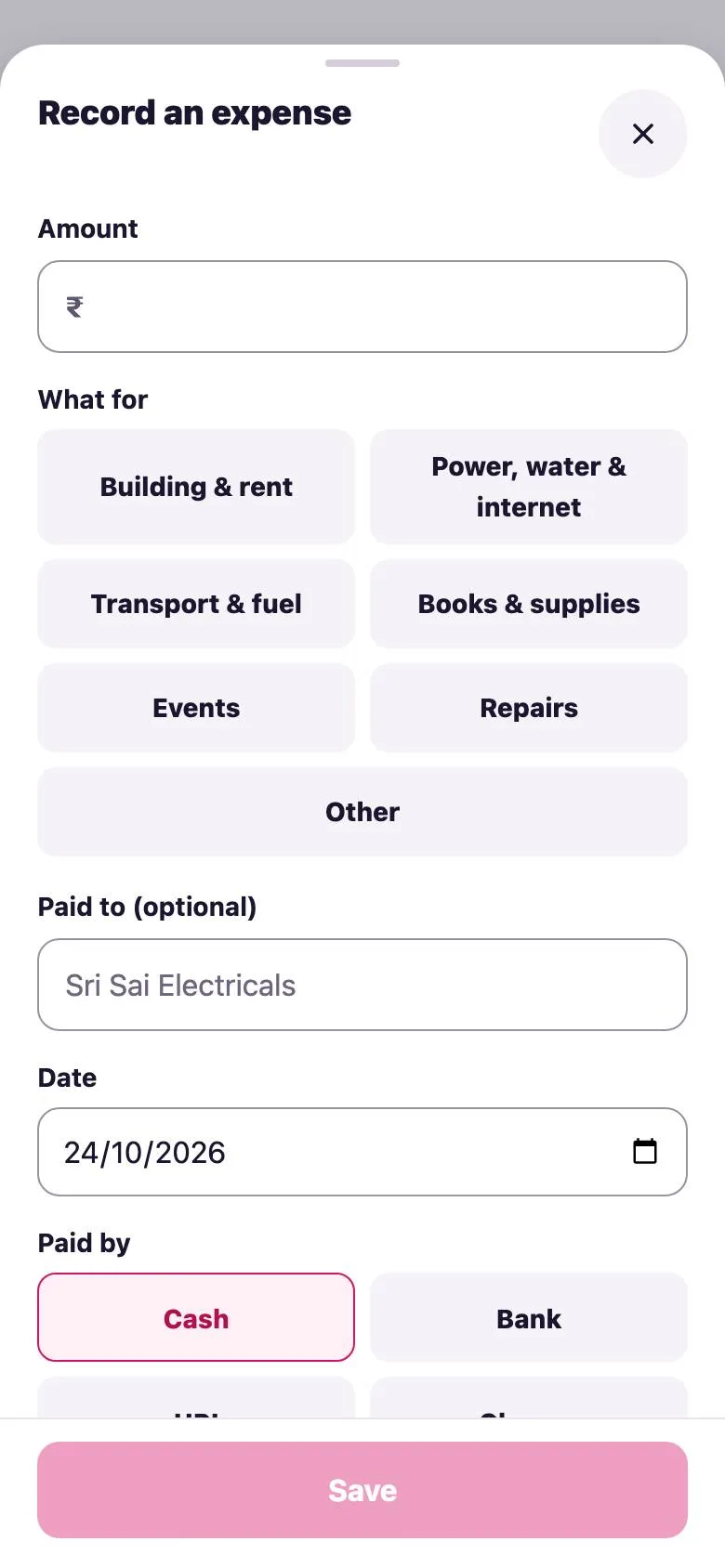
Fees › Expenses › Record an expense: how much, what for, who was paid and how.
- Snap the bill
Take a photo of the bill or pick one from the gallery. It stays with the expense.
- Approve it
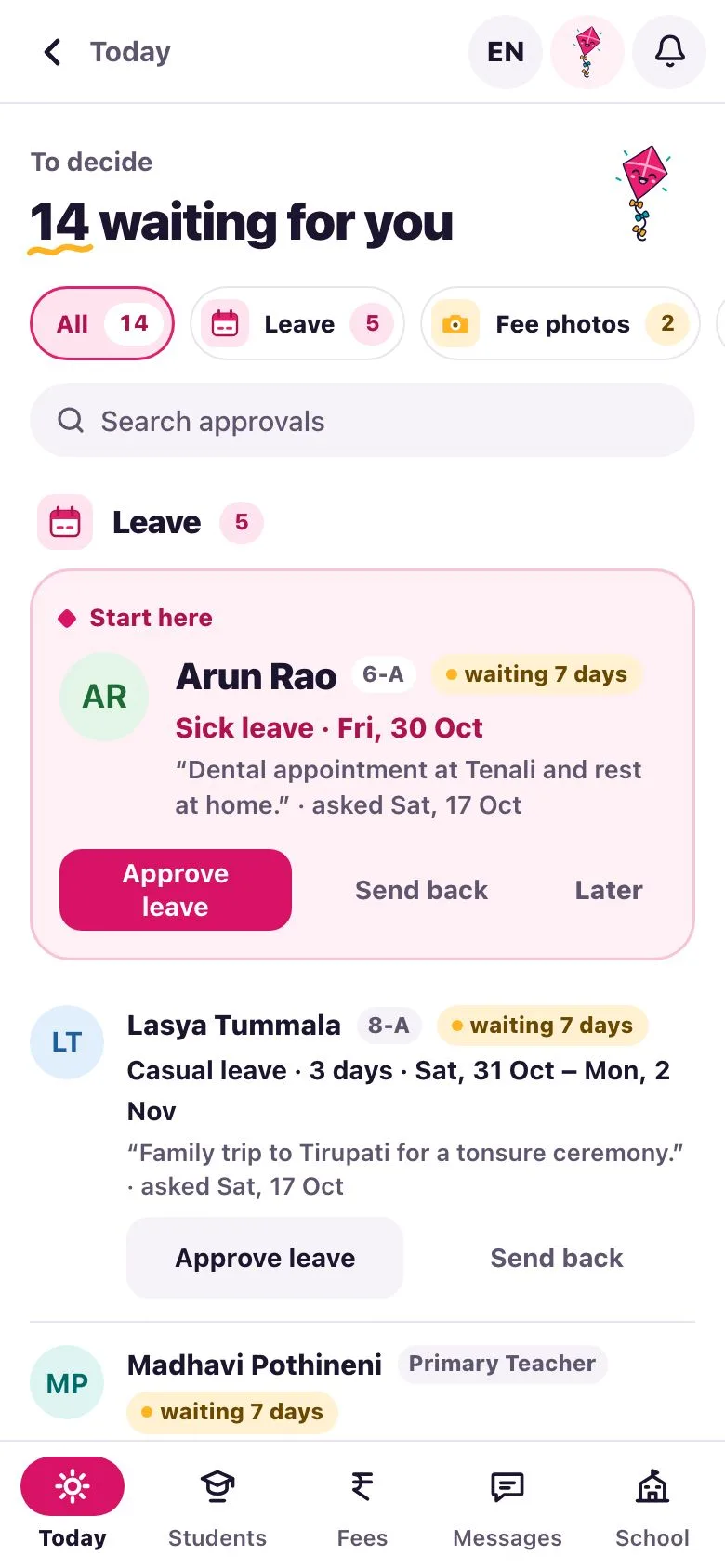
It waits in To decide for an administrator, who can open the bill and approve or send it back with a reason.
- See the month
What came in from fees, what went out, and where it went. Paid salaries appear on their own.
The administrator
Salaries from the attendance you already take.
Keep it as simple as a salary, or switch on PF, ESI, professional tax and TDS. Your choice, any time.
- Choose what payroll works out
Staff room › Payroll › Pay setup. Every statutory part is off until you switch it on.
- Set each person’s pay once
A single salary line is enough. Add HRA, allowances or a monthly loan cut if you use them.
- Prepare the month
Longbell reads staff attendance. Days away without leave come off by the day.
- Check, finalise, pay
Add a bonus or an advance, finalise, then mark as paid. Everyone gets their payslip on the phone.
Staff see their payslips under Me › My pay, and can share them as a PDF.
Saraswathi School
Payslip · September 2026
Anuradha Rao Mathematics teacher
30 days in the month · 29 paid · 1 without pay
- Salary
- ₹28,000
- Loss of pay · 1 day
- −₹933
- PF
- −₹1,800
- Professional tax
- −₹200
Net pay₹25,067
Rupees twenty-five thousand and sixty-seven only
Paid · in her appTeachers
The register in a minute. Homework in one sentence.
Teachers do the teaching. Longbell does the writing.
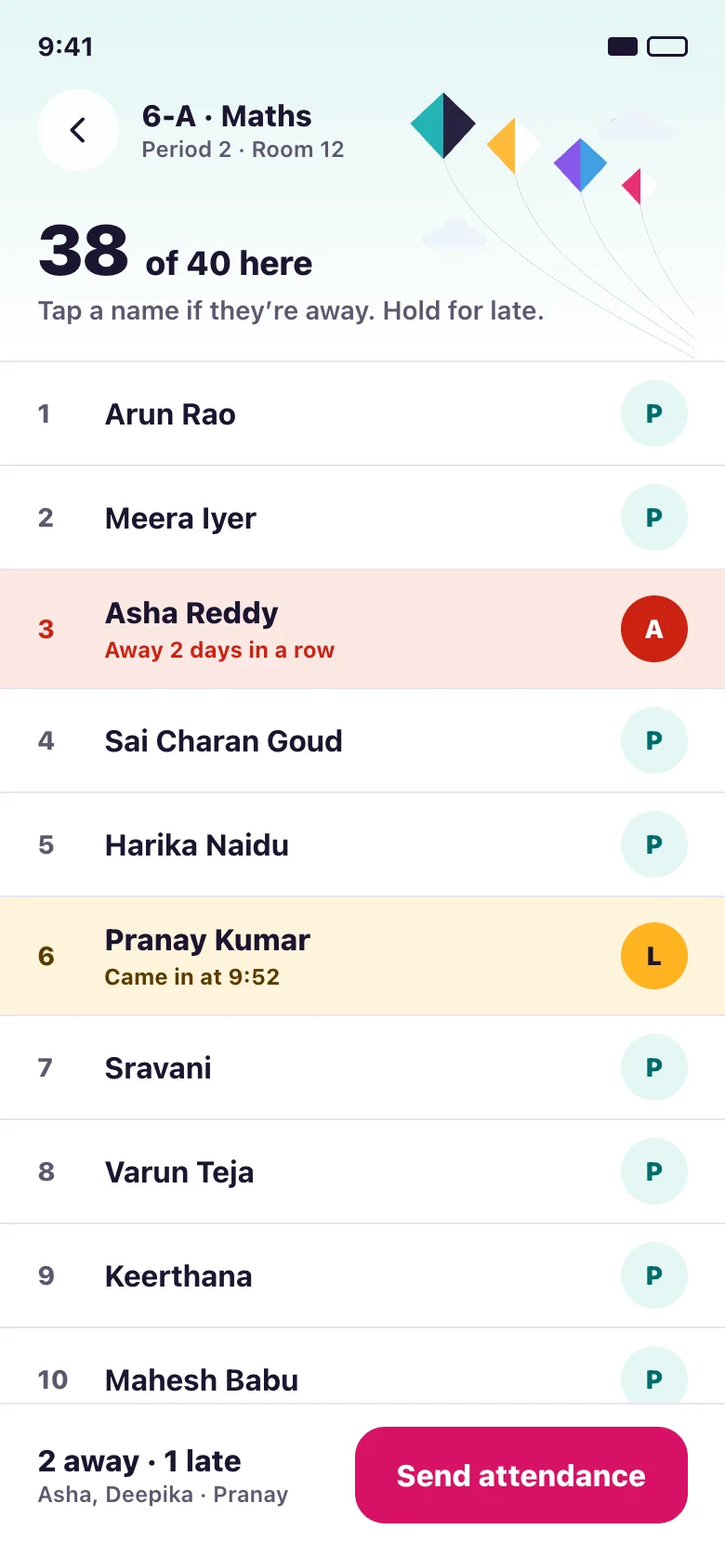
- Take the register
Today › Register. Everyone starts present; tap who is away and send. On a weak signal it sends when it can.
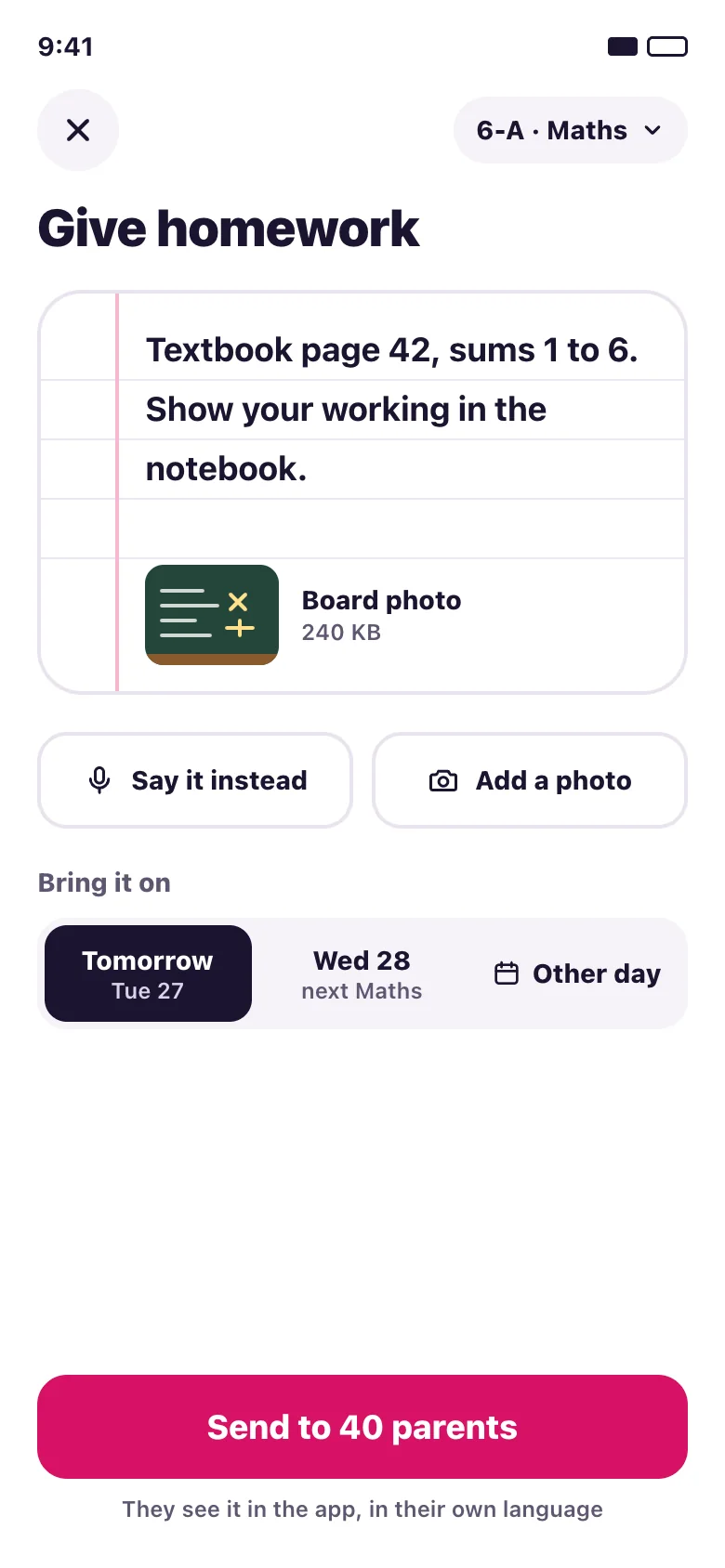
- Give homework with Tara
Say the homework or snap the textbook page. Tara writes the questions; you check every one before sending.
- Marks and report cards
Exams & report cards: enter marks once. Grades and ranks are worked out, and report cards print on your letterhead.
Headmaster, principal, correspondent
The whole school before the first period ends.
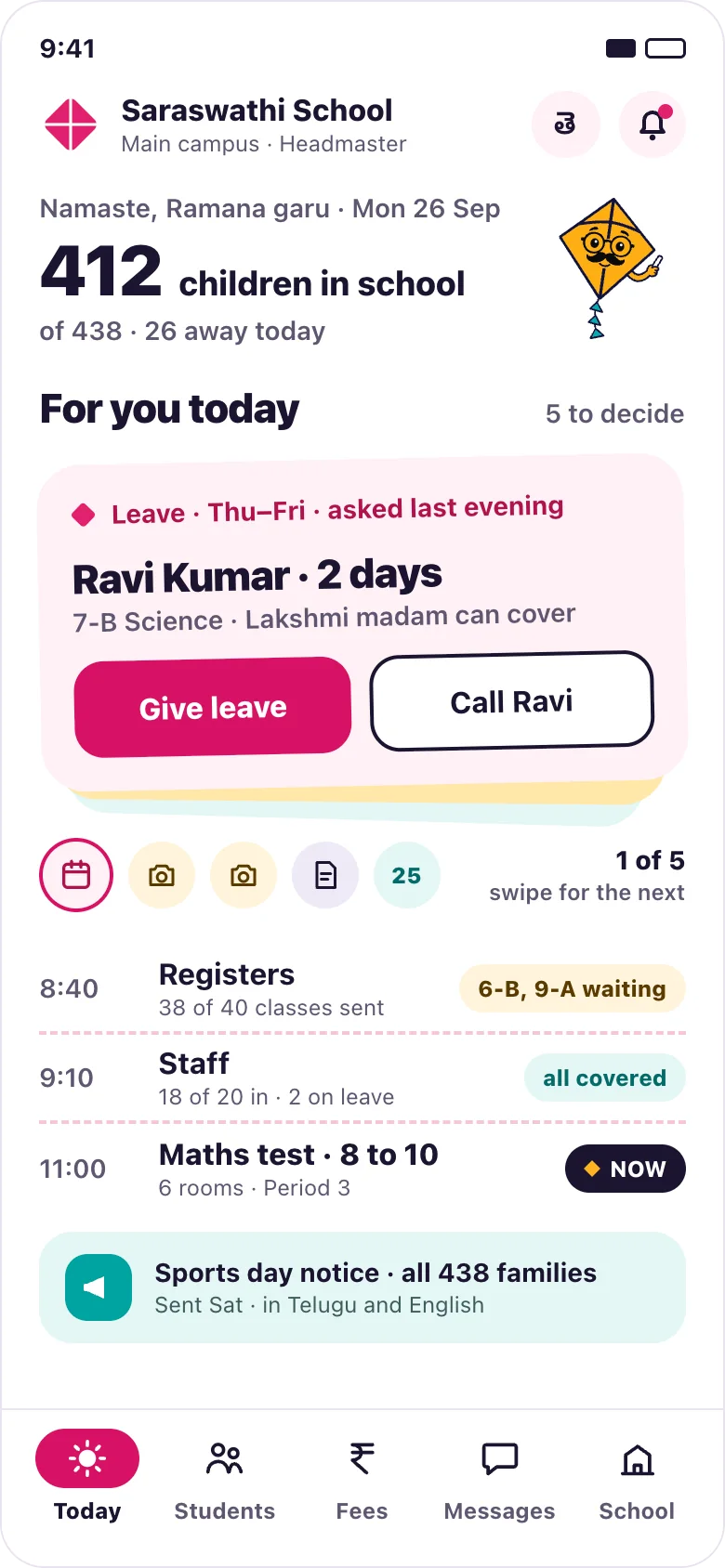
Open Longbell with your morning tea. Everything that needs you is in one place.
- Read Today
Who is in school, which registers are still out, who is on leave, what came in at the counter.
- Decide in one place
To decide holds leave, paid photos, papers, new parents, class access and expenses. Approve or send back with a word.
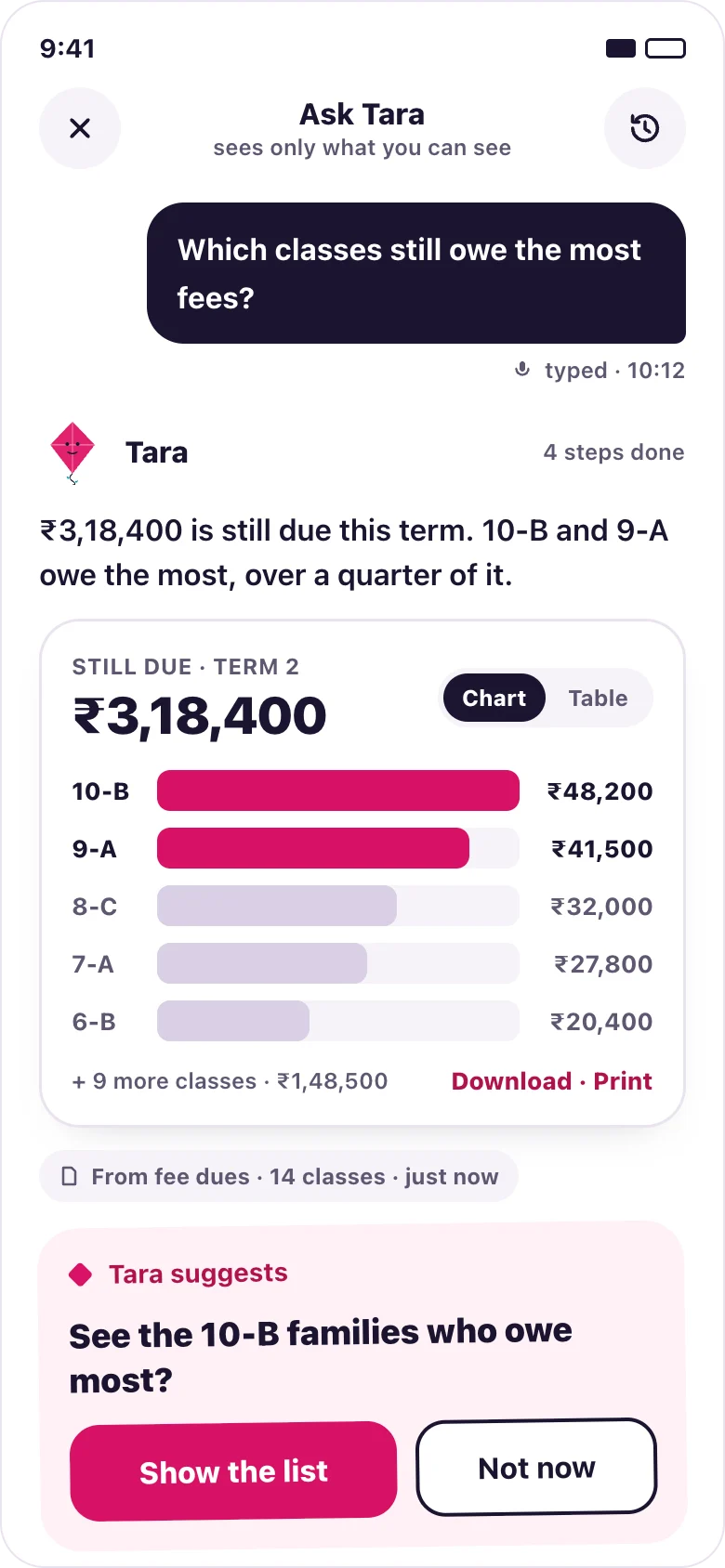
- Ask for any number
“Which classes have the most fees pending?” Tara answers with a chart and the table behind it.
Parents
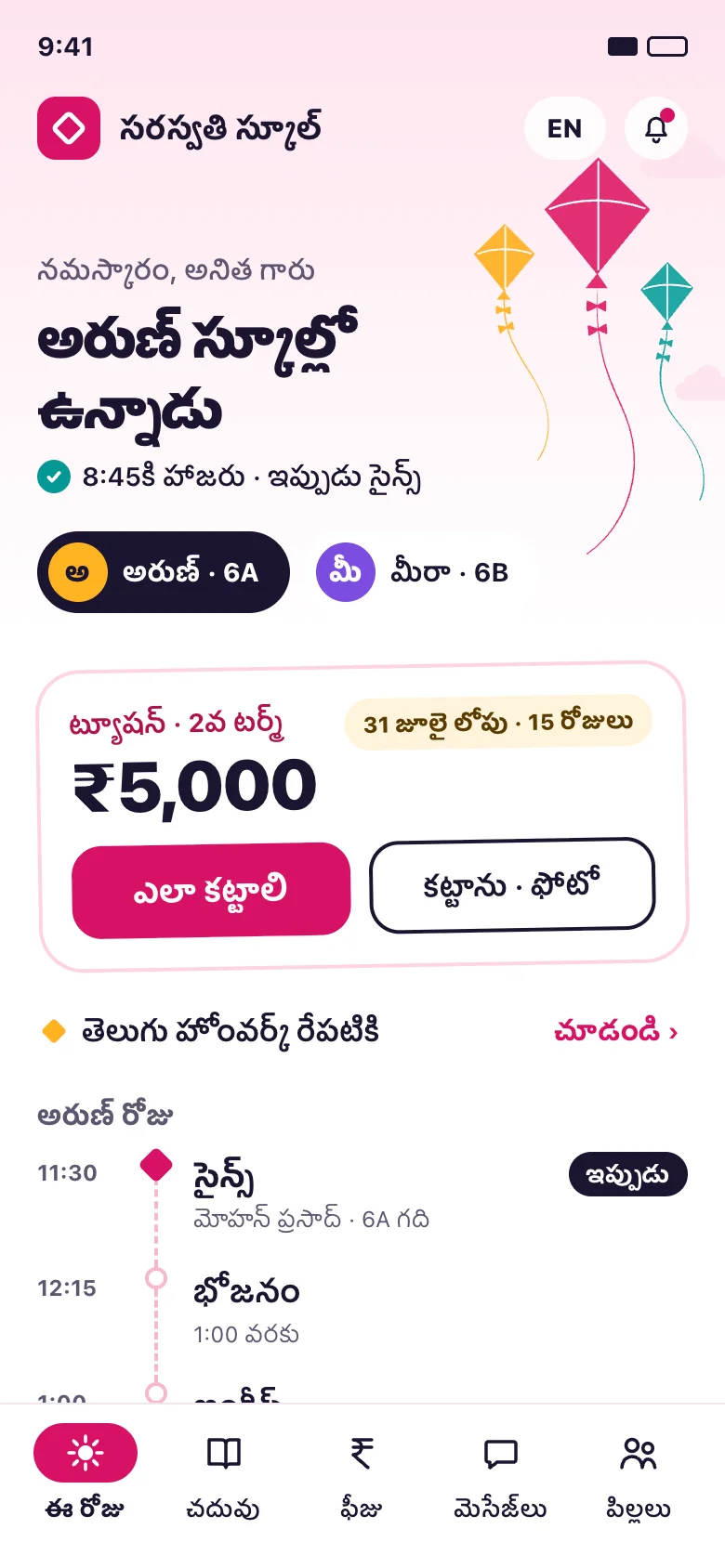
The school day at home, in their own language.
Made for every parent. Big words, one thing at a time.
- Sign in with a phone number
Open the link from the school and type the code that arrives by SMS.
- Pick a language
English, తెలుగు, हिन्दी, தமிழ் or ಕನ್ನಡ. Change it any time.
- See the day
Whether the child reached school, what’s due, marks and the latest notice.
- Pay and get the receipt
Pay by UPI, tap I paid · photo, and the receipt arrives once the office approves.
- Or just use WhatsApp
Send “hi” to the school’s number. Link once, then ask for the fee balance, receipts, holidays, exams and results.
Saraswathi School
fees
Arun · 6-A
Term 2 tuition ₹9,500 is due on 10 Oct.
Pay ₹9,500 by UPI ›
I paid. UTR 6214 8830 4821
Thank you. The office will check it and send your receipt here.
Receipt RC-2026-00458 · ₹9,500 · Paid by UPI
Everyone
Ask Tara. She does the work and asks first.
Type it or say it, in Telugu or English. Tara only sees what you are allowed to see.
- Ask a question
She answers with the number, a chart and the records she used, one tap away.
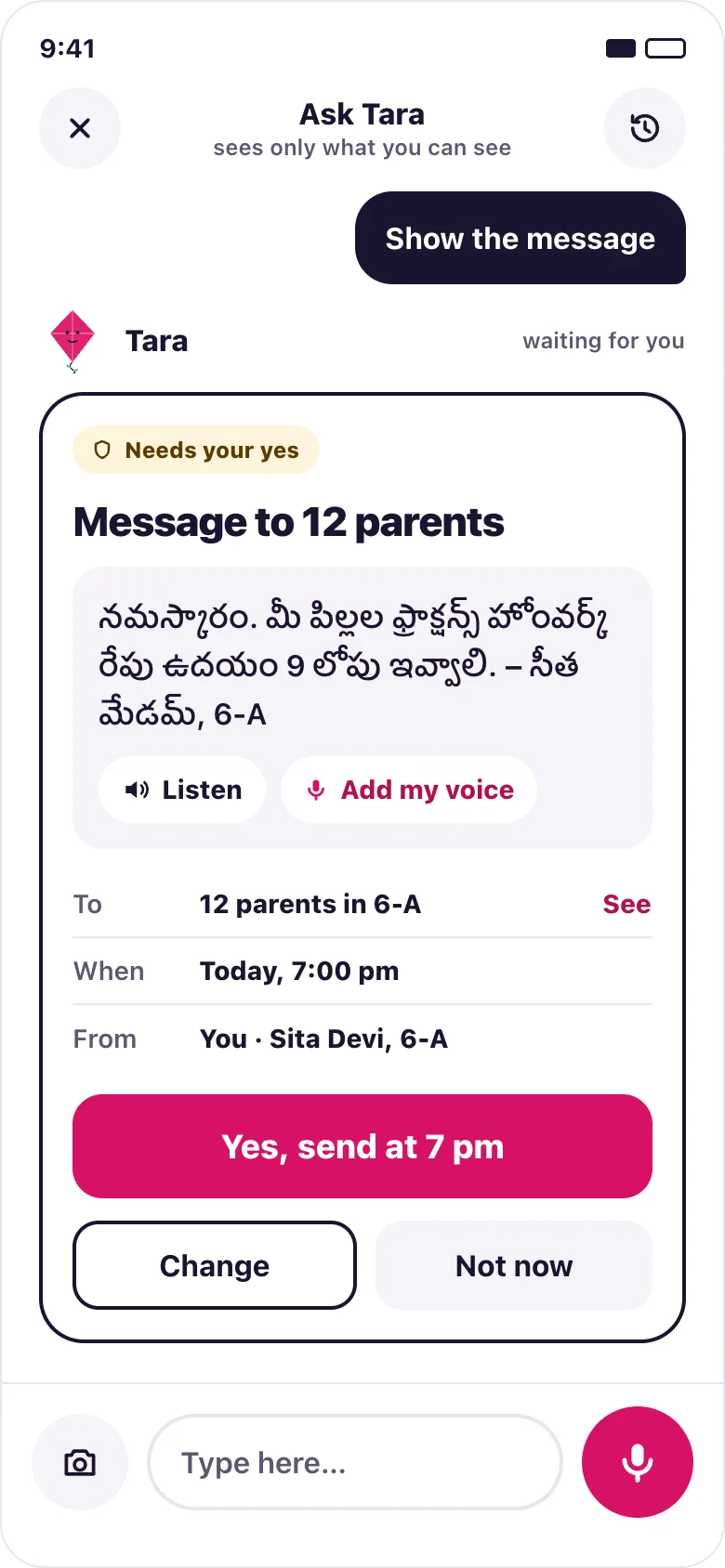
- Ask for a job
Record a fee, post a notice, chase what’s pending. She prepares it and shows exactly what will change.
- Say yes
Nothing changes until you tap Yes. Then you get a receipt of what was done.
Keep exploring
 Tara, the AI helperSees what you see, does what you do, answers with charts.
 For schoolsOne campus, every classroom.
 For school groupsMany branches, one Longbell.
 For coaching centresBatches, weekly tests and ranks.
- Fully managedWe set it up and run it with you.
 CommunicationEvery family, in their language.


We’ll set it up with you.
Book a short call. Bring a class list and a fee list, and we’ll walk your office through its first morning in Longbell.
- A short call, at a time that suits your school
- Bring a register or fee list, and watch Tara read it
- We’ll tell you honestly what fits and what doesn’t